

A scan barcode free tool can be useful when you need to quickly identify a product, check information, or access details from a barcode without paying for extra software. However, one common question many users have is whether these tools can read blurry, damaged, or unclear barcodes.
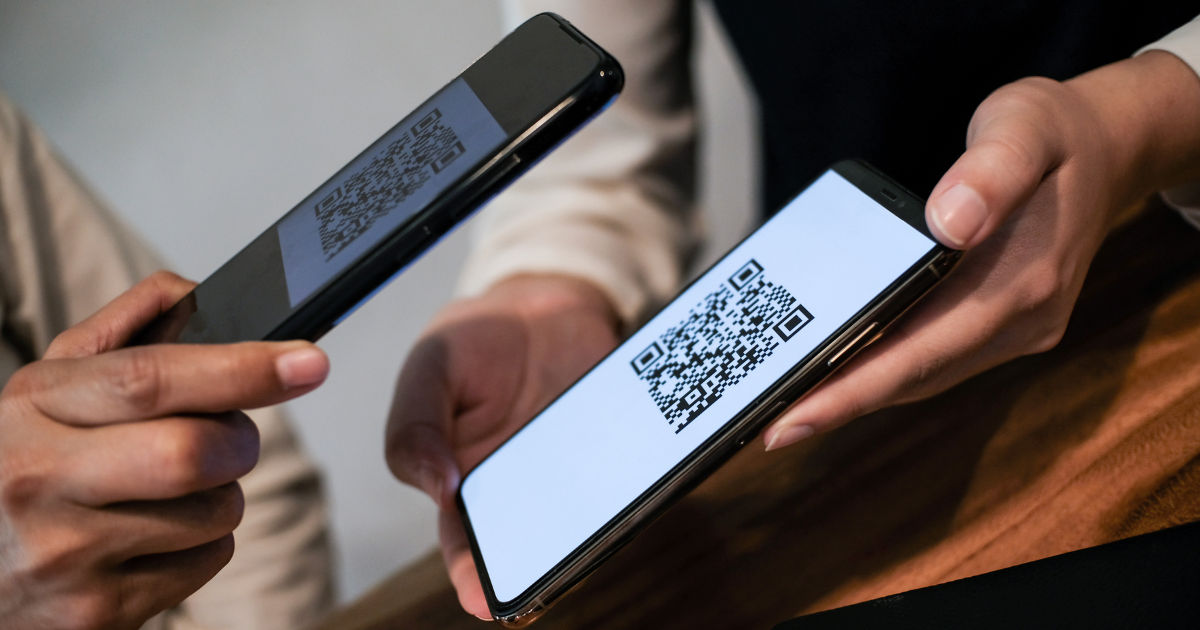
The answer depends on several factors, including the level of blur, barcode quality, lighting conditions, and the technology used by the scanner when you scan barcode free. Barcodes are designed to store information in a simple visual pattern, but they still need enough clarity for a scanner to recognize their lines, spaces, or patterns during a scan barcode free process.
When a barcode becomes blurry, the scanner must work harder to understand the information. Some modern scanning tools use advanced image processing and artificial intelligence to improve recognition, while older scanners may fail quickly.Understanding how barcode scanning works and what affects accuracy can help users get better results when dealing with unclear images.
How Barcode Scanning Works
A barcode scanner does not simply look at a picture and guess the information. It analyzes the pattern of lines, spaces, numbers, or squares and converts them into readable data.
Traditional barcodes, such as UPC and EAN codes, use different widths of black and white lines. The scanner measures these patterns and matches them with stored barcode formats. QR codes and other two-dimensional barcodes work differently because they store information through small squares arranged in a grid.
When using a scan barcode free service, the system usually accesses your device camera or uploaded image. It analyzes the image, identifies the barcode area, improves the image if possible, and attempts to decode the information.
If the barcode image is sharp and properly captured, the process is usually fast. Problems occur when the image quality is reduced.
Why Do Barcodes Become Blurry?
There are several reasons why a barcode may become difficult to read.
Low Image Resolution
A barcode needs enough pixels to show its details clearly. If an image is too small or heavily compressed, the lines and spaces may blend together. The scanner may not be able to separate each element correctly.
For example, taking a screenshot of a barcode from a low-quality website may reduce its clarity. Enlarging the image afterward does not restore missing details.
Poor Lighting Conditions
Lighting plays an important role in barcode recognition. Shadows, reflections, or very dark environments can hide important barcode patterns.
A barcode photographed under bright direct light may also create glare, making certain sections unreadable.
Motion Blur
Moving the camera while taking a photo can create blurry edges. Even slight movement can affect thin barcode lines, especially on smaller labels.
Holding the device steady and allowing the camera to focus before capturing the image can improve results.
Damaged or Printed Barcodes
Physical damage can also affect scanning. Scratches, faded ink, wrinkles, or dirt may remove parts of the barcode pattern.
In these cases, the scanner needs to rebuild missing information from the remaining visible sections.
Can Free Barcode Scanners Read Blurry Barcodes?
Many people wonder if a scan barcode free option can handle blurry images. The answer is sometimes yes, but there are limits.
Free barcode scanners with modern processing features can often improve slightly unclear images. They may adjust contrast, sharpen edges, remove noise, and detect barcode patterns even when the image is not perfect.
However, no scanner can recover information that is completely missing. If large sections of the barcode are destroyed or too blurred, even advanced tools may not decode it.
A slightly blurry barcode may still work, while a heavily distorted barcode usually requires a clearer image.
How to Improve Barcode Scanning Results
If a barcode is not scanning correctly, several simple steps can help.
Capture a Better Image
The easiest solution is taking a new photo. Place the barcode in the center of the camera view and make sure the entire code is visible.
Avoid cutting off edges because some scanners need the complete barcode structure to identify it.
Clean the Barcode Surface
For physical products, remove dust, fingerprints, or stickers covering the barcode. A clean surface improves contrast and makes scanning easier.
Use Better Lighting
Natural light or even indoor lighting often produces better results than direct flashlight use. If reflections appear, change the angle slightly.
Increase Distance Carefully
Getting extremely close to a barcode can make the camera struggle to focus. Try moving slightly farther away and allowing the camera to adjust.
Does Image Enhancement Help With Blurry Barcodes?
Image enhancement can improve barcode recognition, but it has limitations.
Sharpening tools can make edges clearer and improve contrast. Noise reduction can remove small visual problems caused by poor image quality.
A scan barcode free tool with built-in enhancement may successfully read a barcode that appears slightly unclear to the human eye.
However, enhancement cannot recreate original barcode details that were never captured. If the barcode lines are merged together or missing, the scanner has no reliable data to analyze.
What Types of Barcodes Are Easier to Read?
Different barcode formats handle damage differently.
One-dimensional barcodes, such as UPC codes used on retail products, usually require clear horizontal patterns. Small damage can affect readability.
Two-dimensional barcodes, such as QR codes, often include error correction. This means they may still work even if part of the code is damaged.
The ability to recover information depends on the barcode design and the amount of missing data.
Tips for Using Barcode Scanners Effectively
To get the best results from any barcode scanning method, follow these basic practices:
-
Keep the camera lens clean.
-
Make sure the barcode fills enough of the screen.
-
Avoid blurry photos.
-
Use proper lighting.
-
Keep the device steady.
-
Try another angle if reflections appear.
-
Use a higher-quality image when possible.
These steps can make a significant difference, especially when scanning older labels or low-quality images.
Are Free Barcode Scanners Reliable?
A scan barcode free solution can be reliable for everyday tasks such as checking product information, opening links, comparing prices, or organizing items.
For professional environments like warehouses, healthcare facilities, or inventory systems, dedicated scanners may provide better performance because they are designed for speed and accuracy.
Free tools are convenient because they allow quick access without requiring specialized equipment. Their effectiveness depends on the quality of the barcode and the capabilities of the software.
When a Blurry Barcode Cannot Be Recovered
There are situations where scanning will fail regardless of the tool used.
A barcode may be impossible to read if:
-
The image is extremely pixelated.
-
Important sections are missing.
-
The barcode is covered.
-
The label is severely damaged.
-
The photo is completely out of focus.
In these cases, the best option is finding another copy of the barcode, checking the printed numbers manually, or requesting a clearer image.
Conclusion
Blurry barcodes can sometimes be read, but success depends on how much information remains visible. Modern scanning technology has improved significantly, allowing many tools to process slightly unclear images through enhancement and recognition techniques.
A scan barcode free option may successfully decode a barcode with minor blur, poor contrast, or small imperfections. However, severe damage or missing barcode details cannot always be fixed by software.
The best approach is to improve the image quality whenever possible. Taking a clear photo, using proper lighting, cleaning the barcode surface, and keeping the camera steady can greatly increase scanning accuracy.
Barcode technology is designed to make information access simple and fast. While free scanning tools are useful for everyday needs, understanding their limitations helps users know when a barcode can be recovered and when a better image is required.